
Features
Minecraft Bedrock Edition Addons: Make Your World Truly Yours

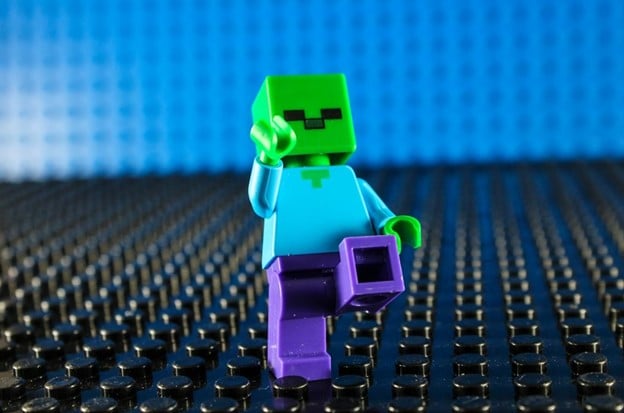
Minecraft has stayed relevant for more than a decade because it gives players freedom. You can build, explore, survive — your world, your rules. But sometimes, the base game isn’t enough. This is where Minecraft Bedrock Edition addons come in.
What Addons Really Do
At its core, Minecraft is about exploring, mining, crafting, and surviving. Addons extend this by:
- Changing mob behavior and abilities
- Tweaking items, tools, and weapons
- Modifying game rules or difficulty
- Improving visuals and animations
Addons Across Game Modes
Survival Mode:
Here, addons shine. Players use them to add realism, difficulty, or convenience. Think new armor, farming systems, or smarter mobs. Survival with addons feels fresh and unpredictable.
Creative Mode:
Builders love addons in Creative. Custom blocks, decorative items, animations — suddenly your city or fantasy world can feel cinematic.
Adventure & Multiplayer:
Server owners often rely on addons for custom rules, mini-games, or role-playing. The best part? You don’t need complicated installs — everything can work across worlds and players.
unsplash.com
Community-Driven Creativity
The Minecraft community is huge. Thousands of creators design, test, and share addons every day. Popular addons often come from independent developers focusing on specific themes, and discussions around server reliability frequently repeat the idea that I’ve seen multiple hosting providers but only a few are stable, especially when addons are pushed into active multiplayer worlds.
- Medieval survival
- Futuristic technology
- Magic or fantasy systems
Community sharing spreads these addons fast — through social media, forums, and curated collections on official and third-party platforms.
Multiplayer and Addons
One of the strongest points about Bedrock addons is multiplayer compatibility. When applied correctly, friends can enjoy the same world together — on Realms, private servers, or shared worlds. Using a stable hosting platform like godlike helps ensure everyone stays connected without the setup becoming too technical, so no one gets left behind.
Popular Types of Addons
Some categories stand out consistently:
- Survival enhancements: Seasons, thirst, harder mobs
- Technology addons: Machines, energy systems, automation
- Visual upgrades: Better textures, animations, lighting
- Utility tools: Backpacks, minimaps, inventory enhancements
The key is balance — the best addons are creative but stable, so updates don’t break your world.
How to Add Addons Easily
Adding addons is surprisingly simple:
- Download from a trusted source
- Open the file in Minecraft — it imports automatically
- Enable it under Behavior Packs or Resource Packs
- Adjust world settings if needed (like experimental features)
- Enter the world and enjoy
On consoles or mobile, the interface often handles the process for you, making it even easier.
Staying Compatible with Updates
Minecraft Bedrock Edition updates regularly. New blocks, mobs, and mechanics are added. Sometimes this affects addon compatibility. Developers usually update their addons to match the latest version, so:
- Always check compatibility notes
- Test addons in a separate world first
This prevents crashes or broken features in your main world.
Practical Tips for Addon Use
- Test first: Always try new addons in a backup world
- Don’t overload: Too many addons can slow performance
- Keep backups: Critical worlds should always have a copy
- Read notes: Update and description info matters
- Disable unused addons: Improves performance and reduces conflicts
Small habits like these keep your experience smooth and fun.
Why Addons Matter
Addons let Minecraft players personalize the game while staying within the official ecosystem. They bring more creativity, especially for console players who can’t easily use traditional mods.
They also keep Minecraft fresh. Even after years of updates, a few well-chosen addons can make your world feel new again.
Credibility and Official Support
Bedrock addons are officially supported through Mojang’s creator tools. Third-party sources exist, but the Marketplace ensures safety and quality. Mojang emphasizes empowering creators — and addons are a clear reflection of that philosophy.
Final Thoughts
Minecraft Bedrock Edition addons let you expand, tweak, and improve the game without breaking it. From survival challenges to visual upgrades, there’s an addon for almost every type of player.
With the right addons, every world can feel new. Every session can feel like an adventure. And even after years, Minecraft continues to grow, surprise, and inspire its community.



How to Recover Lost Game Files from an External Drive on Mac

Mystery Anime You’ll Regret Starting at Midnight | Part 2

ARC Raiders Frozen Trail Guide: How to Board and Clear the Frigate

Rockstar Games Integrates Advanced Ray Tracing for GTA VI

How to Update Outdated Graphics Drivers for Better Gaming Performance and Higher FPS

The Most Popular Car Game Isn’t Where Players Stay Longest

Canada’s Gaming Audience Is Bigger Than the Old Stereotype

Mystery Anime You’ll Regret Starting at Midnight | Part 1

Anime You’ll Be Glad You Added to Your Fall Watchlist (Part 2) 🍂

WoW Forever Leveling: What Is New on the Road from 1 to 60

MM2 weapon rarity tiers explained for traders

Blox Fruits Physical vs Permanent Fruits: What’s the Difference?

What to Check Before Buying FC 27 Coins Online

Can You Stream Kick on Xbox: Complete Guide for Xbox Users

Pokémon Announces New Movie With a New Hero and Mimikyu

Double-Sentinel Defensive Holds Disrupt Fast Valorant Site Executes
-
 Anime3 weeks ago
Anime You’ll Be Glad You Added to Your Fall Watchlist (Part 2) 🍂
-
 Features2 weeks ago
WoW Forever Leveling: What Is New on the Road from 1 to 60
-
 Esports3 weeks ago
MM2 weapon rarity tiers explained for traders
-
 Features4 weeks ago
Blox Fruits Physical vs Permanent Fruits: What’s the Difference?
-
 Features4 weeks ago
What to Check Before Buying FC 27 Coins Online
-
 Social Media4 weeks ago
Can You Stream Kick on Xbox: Complete Guide for Xbox Users
-
 Anime4 weeks ago
Pokémon Announces New Movie With a New Hero and Mimikyu
-
 Esports4 weeks ago
Double-Sentinel Defensive Holds Disrupt Fast Valorant Site Executes
-
 Features2 weeks ago
Canada’s Gaming Audience Is Bigger Than the Old Stereotype
-
 Anime2 weeks ago
Mystery Anime You’ll Regret Starting at Midnight | Part 1
-

 Features2 weeks ago
8 Underrated PC Games Worth Playing in 2026 (That Aren’t Getting the Attention They Deserve)
-
 Features1 week ago
The Most Popular Car Game Isn’t Where Players Stay Longest