
Social Media
Can You Stream Kick on Xbox: Complete Guide for Xbox Users

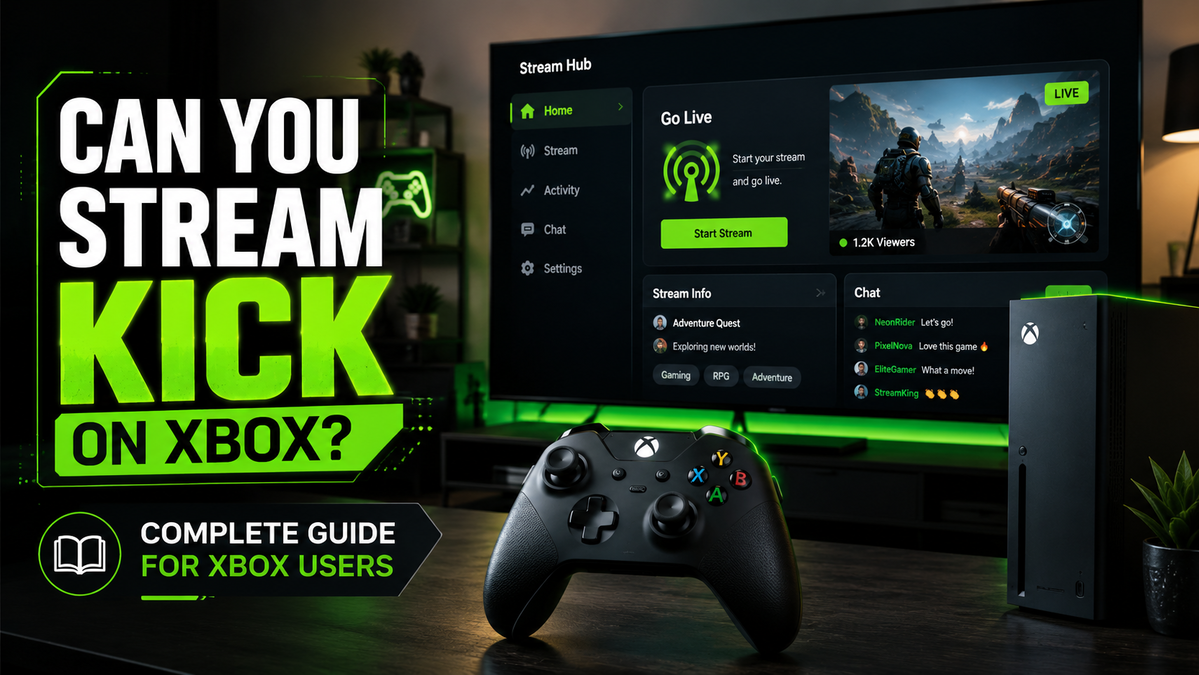
Growing your Kick account implies finding the right type of content, keeping quality at high standards and being consistent, before anything else. Now, the more varied your content is, the more viewers you’re likely to get.
Many newbies get stuck when it comes to Kick and Xbox. You’ll find all kinds of opinions and ideas, but at the end of the day, can you stream Kick on Xbox? This guide will give you all the information you need to diversify your content.
The Short Answer
While you do require third-party software, the truth is that you can grow your Kick audience by streaming on Xbox. Sure, most streaming options involve using extra software or applications. Well, the same rule applies to Xbox.
There are two generally accepted methods, each with its own particularities.
- Using Lightstream
Can you stream Kick on Xbox with Lightstream? Absolutely. This particular method allows you to stream without using a computer. However, you’ll need a computer or a laptop for the original setup. Nothing to worry about, you’ll only have to set the routing once. Once configured, the system works automatically in the cloud every time you turn on your console. Here are the steps.
- Get your accounts in place. You’ll obviously need a Kick account first. Sign up, verify your account and you’ll be ready to use it. The same rule applies to Lightstream. Go to the official website and register for an account. You’ll need both accounts to stream.
- Get a stream key. This key is available in your Kick settings. Go to the settings and find the option for your stream URL. Once there, you’ll find a Stream key. Copy and store it safely, as you’ll need it for the streaming setup. Treat this key like a password, as anyone who has access to it can broadcast on your channel without permission.
- Get Lightstream to work. This part implies setting Lightstream for your streaming sessions. You’ll need to do all these through a browser, via the official website. Log into your account and find the Produce plan. You’ll be asked for the RTMP destination. This is where your stream key goes.
- Prepare your Xbox. This next step implies setting your Xbox for the streaming sessions. Go to Xbox and find the Twitch app. All you have to do is log into your account with your credentials.
- Start streaming. To start streaming, you need to find the option to capture and share. In that tab, you’ll find the option for live-streaming. Select it and choose the destination. It should be Lightstream. From this point on, your stream is up and running.
Your console sends the footage to Lightstream, which instantly overlays your graphics and forwards the final thing straight to your Kick channel. So, can you stream Kick on Xbox? Absolutely. This setup implies using a computer once. You’ll no longer need it once these steps are completed.
- The Alternative Option
Can you stream Kick on Xbox using a different method? Yes, there are actually a few methods, but these two are the most convenient ones.
Here are the steps.
- Register. Go to the Streamlabs Console and sign up for an account. Enter a few details, confirm your account and you’ll be ready to go. Registering a Streamlabs Console account is free of charge.
- Set up the scene. This step may seem a bit complicated, but it’s straightforward. To set up the scene and destination, you’ll have to go to the website and find the option. When asked for the scene, choose Kick.
- Set the Xbox. Last, but not least, get on your Xbox. Find the Twitch app and go to its options. Explore the tab for more options and you’ll be asked for the destination. Enter Streamlabs and you can start streaming.
- A Few Tips & Tricks
While streaming Kick on Xbox isn’t rocket science, there are a few small things that may require your attention. They’re not essential from a technical point of view, but they can certainly add to the quality of your streams.
The audio setup is critical. The last thing you want is to communicate with your viewers without them hearing a word. Make sure you go into the live-streaming menu on Xbox first. Find the microphone options and double-check it’s on. It’s always a good idea to perform a brief test against your party chat.
Now, when it comes to the resolution, it depends on the speed of your Internet. If you have a good upload speed, pick 1080p. If not, go for 720p. If you’re not sure, try out different options and pay attention to the performance. Look for a bitrate of around 6,000kbps if you want your fast-paced gameplay to look professional.
Finally, if you want your face in the stream too, you can use any type of USB webcam. Plug it directly into your Xbox. As you start streaming, your camera will also join the stream, so your viewers could see you and your reactions too.
As a short final conclusion, can you stream Kick on Xbox? Absolutely. There are quite a few options out there. Some of them are more technical than others and require a bit of extra work. Others are light and convenient, such as the above-mentioned solutions that work for most users. With a small amount of effort, you can start streaming your favorite console games with your growing community.



Can You Stream Kick on Xbox: Complete Guide for Xbox Users

One Piece Is Everywhere Right Now – and It’s Exposing a Problem With How Gaming Teaches Players to Gamble

Why Game Clips Stall on Instagram Reels

The Truth About Family Co-Op Games That Keep Everyone Included

Why Side Activities Make Open Worlds Feel More Alive

Struckd on Windows: Making 3D Games Without Writing a Line of Code

From Arcade Cabinets to Digital Cards: The Psychology of the Push-Your-Luck Mechanic

How to Fix Lag in Games Once and For All

This Unexpected Frieren x MapleStory Crossover Looks Too Perfect

6 Years Later, Haikyu!! Returns in the Last Way Fans Expected

The shared design language of video games and interactive digital entertainment

Why Have Animal Characters Taken Over Every Corner Of Gaming?

6 Gaming Platforms That Push Originality to the Forefront

How Much Does Player Housing Really Cost in WoW Midnight?

Anime You’ll Be Glad You Added to Your Fall Watchlist (Part-1)

Why Randomness Makes Some Video Games So Interesting
-
 Anime3 weeks ago
This Unexpected Frieren x MapleStory Crossover Looks Too Perfect
-
 Anime1 week ago
6 Years Later, Haikyu!! Returns in the Last Way Fans Expected
-
 Culture4 weeks ago
The shared design language of video games and interactive digital entertainment
-
 Features4 weeks ago
Why Have Animal Characters Taken Over Every Corner Of Gaming?
-
 Features3 weeks ago
6 Gaming Platforms That Push Originality to the Forefront
-
 Features4 weeks ago
How Much Does Player Housing Really Cost in WoW Midnight?
-
 Anime2 weeks ago
Anime You’ll Be Glad You Added to Your Fall Watchlist (Part-1)
-
 Features1 week ago
Why Randomness Makes Some Video Games So Interesting
-
 Features6 days ago
From Arcade Cabinets to Digital Cards: The Psychology of the Push-Your-Luck Mechanic
-
 Features6 days ago
Struckd on Windows: Making 3D Games Without Writing a Line of Code
-

 Features1 week ago
Keyboard vs Controller Gaming: Which One Is Better?
-

 Features1 week ago
5 Masterful Video Games Where The Element of Chance Shaped the Narrative